Blog

7 Common Website Speed Problems We Find in Audits (Explained Simply)
Audit Explained
7 Common Website Speed Problems We Find in Audits (Explained Simply)
Website speed issues can be confusing—and discouraging. Let’s translate your audit into plain English and a clear action plan.

Marcus White
May 3, 2026
•
10 min read

Why Website Speed Issues Matter
Getting a speed audit back can be surprising. You might be thinking, "My website looks good—how can it be 'slow'?"
Here's the truth: most speed issues aren't about how your site looks—they're about what your customers experience in the first few seconds. Those first few seconds can quietly determine whether someone stays, trusts you, and reaches out… or clicks back and calls someone else.
In this guide, we'll break down each audit issue in simple terms and show you how to prioritize fixes based on urgency and impact.
Below are seven common speed issues we often see in audits, explained in plain English—what they are, why they matter, and how they affect real customers.
Oversized Images
Definition
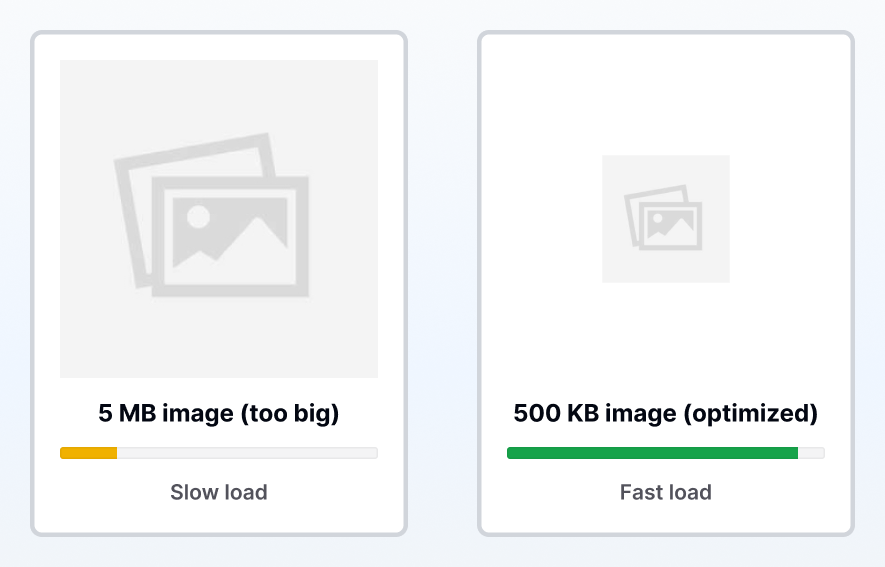
Oversized images are like bringing a giant poster when you only need a small photo. The image may look fine on your website, but your customer's device still has to download the full-size file first and then shrink it down to fit the screen. Because the file is heavier than it needs to be, your page takes longer to load—especially on phones and slower connections.
Impact
When a page loads slowly, people don't wait—they bounce. For a local service provider or solo professional, that can mean fewer calls, fewer quote requests, and fewer booked jobs from the same traffic you're already getting. It can also quietly hurt trust: a slow site can make a business feel less established or less responsive, even when the service is great. This is usually one of the highest-impact, easiest fixes because image weight affects almost every page on the site.
Unused CSS / JavaScript
Definition
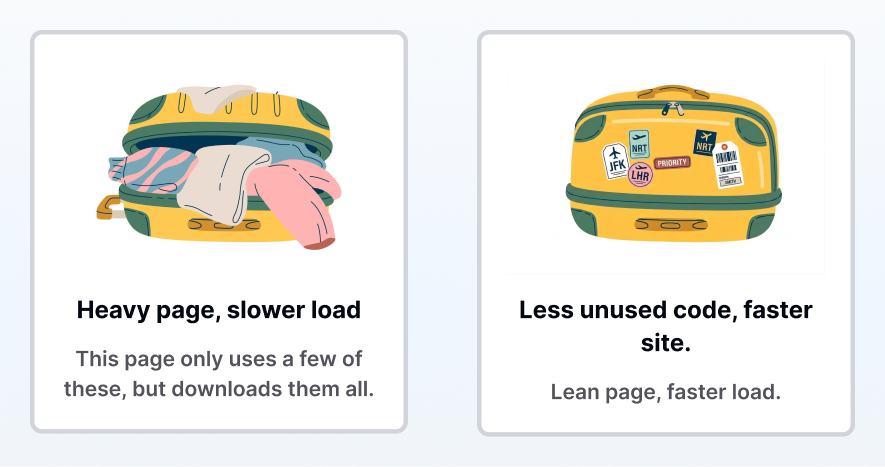
Unused CSS and JavaScript are like packing a big suitcase full of clothes and shoes, but only wearing one outfit once you arrive. Your website sends "instructions" to the browser that control how the page looks (CSS) and how it behaves (JavaScript), but a lot of those instructions aren't actually needed for that specific page. The problem is: the browser still has to download and process them—so the page gets heavier and slower for no real benefit.
Impact
This kind of "extra weight" tends to show up as slower load times, laggy scrolling, and a site that feels less smooth—especially on mobile. And for local service providers and solo professionals, that friction has a real cost: more people drop off before they reach your services, reviews, or contact form. Even when someone does stay, a sluggish experience can quietly reduce trust ("If the site is clunky, will the service be?") which means fewer calls, fewer quote requests, and lower conversion from the same traffic.
Unminified CSS / JavaScript
Definition
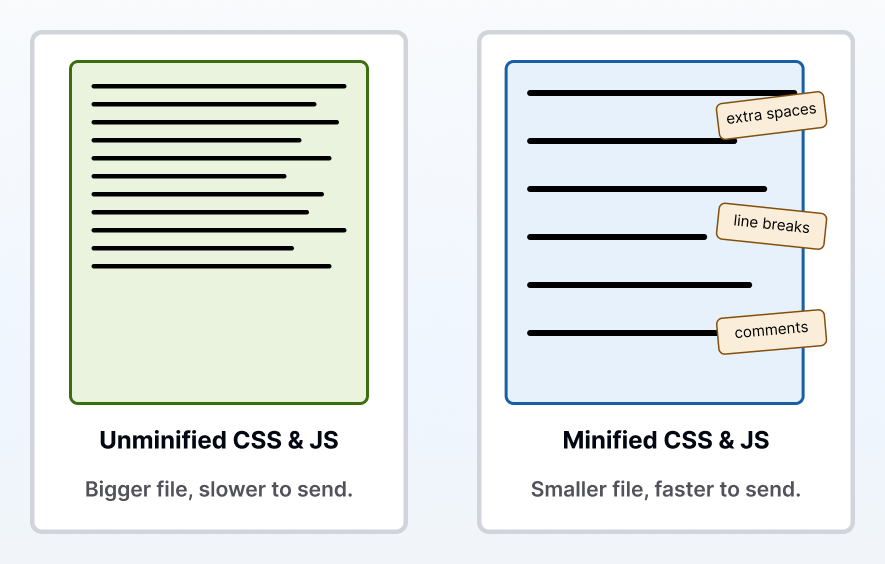
Unminified CSS and JavaScript are like writing a letter with lots of extra spaces, line breaks, and side notes in the margins. Those extras help developers read and edit the code, but your customer's browser doesn't need them to run the site. When unminified files get sent over the internet anyway, they're simply bigger than they need to be—which makes the page take longer to load.
Impact
The impact is straightforward: bigger files = more waiting. And on mobile (or in areas with weaker reception), that waiting is amplified. For service businesses, that delay can keep interested visitors from reaching the "proof" parts of your site—services, reviews, before/after photos—and from making it to the contact or quote form. The frustrating part is this is often "wasted weight," so it's one of those improvements that can speed up the site without changing the design or messaging at all.
Missing Compression
Definition
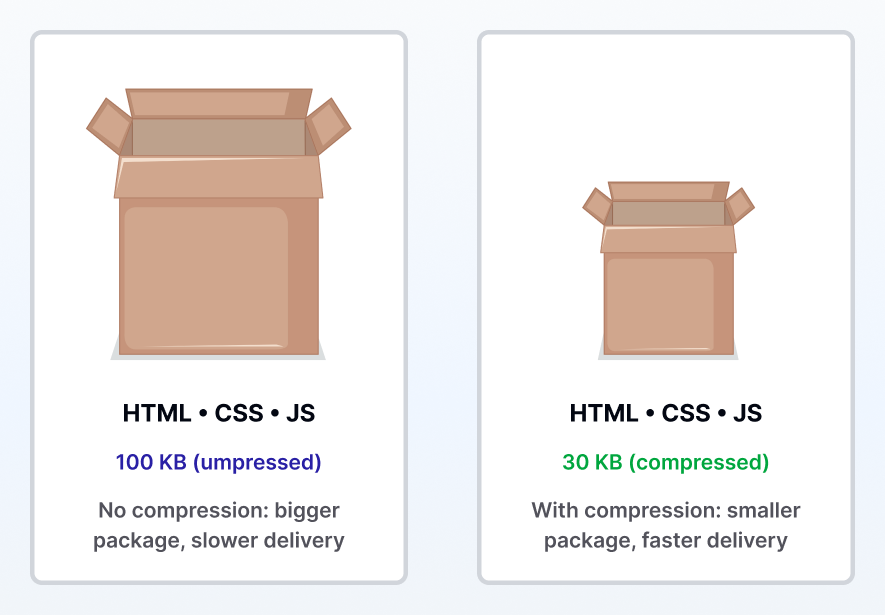
Missing compression is like sending a huge box in the mail when the same items could've fit in a much smaller package. When compression is turned on, your server "squeezes" text-based files—like your page code (HTML), styles (CSS), and scripts (JavaScript)—before sending them to a visitor's device. Smaller files travel faster, which means your website can load noticeably quicker without changing your design or content.
Impact
When compression is missing, every visit takes longer than it should—especially for mobile users and anyone on slower internet. That extra delay adds friction right at the moment a potential customer is deciding whether to trust you, keep reading, or request a quote. That means more visitors may leave before they ever reach the trust-builders that matter most: reviews, before/after proof, service details, or a contact form. The good news is compression is typically a high-impact "behind-the-scenes" fix: it speeds up the experience across your site without requiring a rebuild.
No Cache Headers
Definition
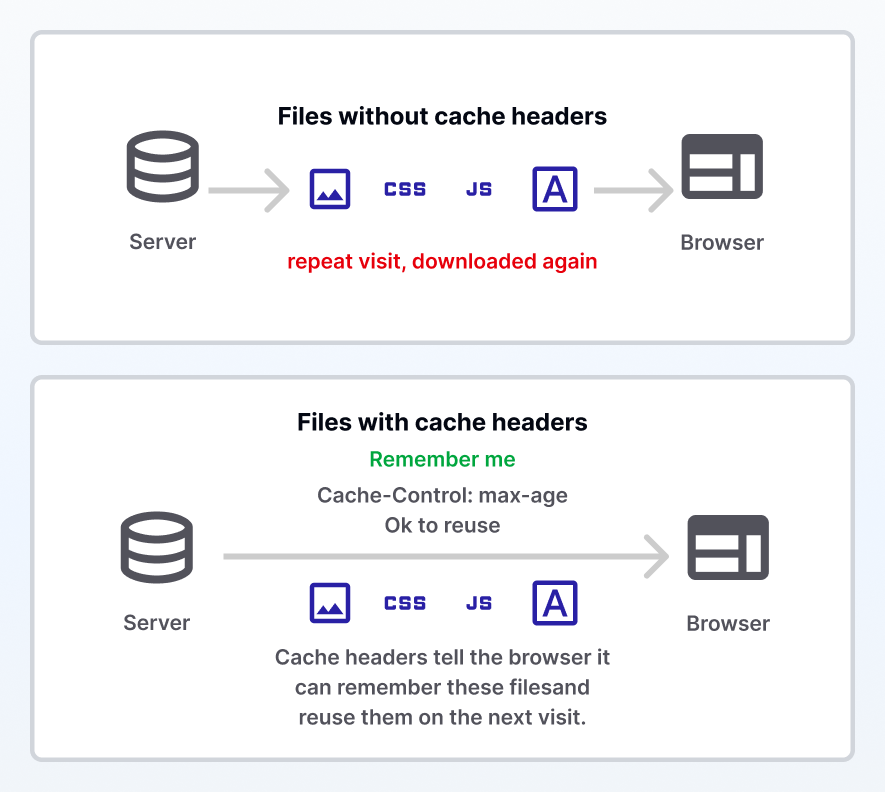
No cache headers means your browser isn't being told what it's allowed to "remember" about the site. Normally, when someone visits your website, their browser can save certain files—like images, fonts, and styling—so the next visit loads much faster. When cache headers are missing (or not set correctly), the browser plays it safe and re-downloads those same files every single time, even if nothing changed.
Impact
This shows up most on repeat visits—which is a big deal for local services, because many customers don't book on the first click. They check you out, bounce back to compare, then return later to call or request a quote. If your site feels slow every time they come back, it adds friction at the exact moment they're deciding who to trust. It can also waste mobile data and make the experience feel less polished, which can quietly reduce conversions without you ever realizing it.
Heavy Third-Party Scripts
Definition
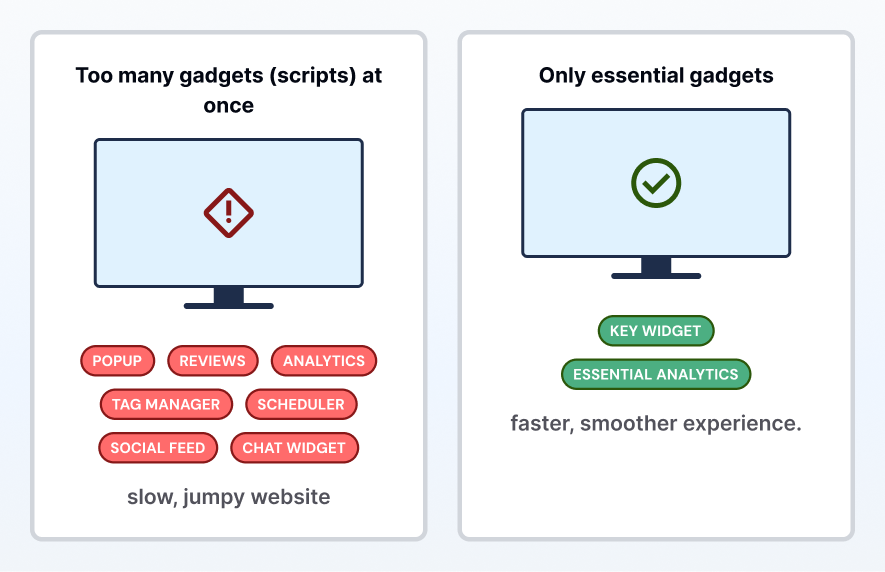
Heavy third-party scripts are like adding lots of extra gadgets to a room—TV, game console, smart lights, speakers—then trying to turn them all on at once. On a website, those "gadgets" are things like chat widgets, pop-ups, tracking pixels, review badges, schedulers, and social media embeds. Because they're coming from other companies (not your main site), your visitor's browser has to make extra requests to extra places before the page is fully ready—which can make the site feel slow, jumpy, or laggy.
Impact
This one is sneaky because it doesn't just slow down load time—it can make the site feel unstable: buttons respond late, text shifts around, forms hesitate, or the page "jumps" while things finish loading. For a service business, that kind of friction can kill momentum. If someone's trying to quickly check your services, pricing, reviews, or fill out a quote form, any lag creates doubt and impatience—especially on mobile. The result is fewer completed forms, fewer calls, and more people backing out to choose a competitor with a smoother experience.
Slow Server Response
Definition
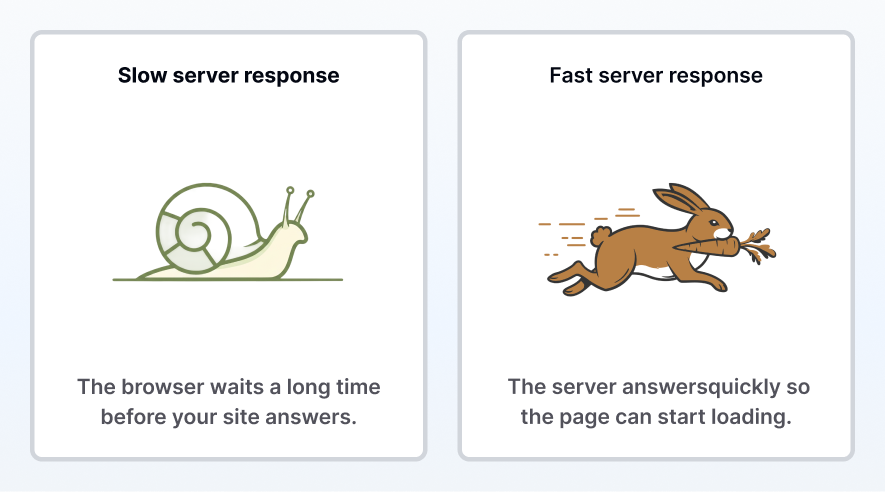
Slow server response is like calling a pizza place and waiting a long time before anyone answers the phone. When someone visits your website, their browser "calls" your server and asks for the page. If the server is overloaded, poorly configured, or running on weak hosting, it can take too long before it even starts sending anything back. During that wait, the visitor may see a blank screen or a loading spinner—before the page even has a chance to load.
Impact
This is one of the most damaging speed issues because it affects the first impression of your business. Even if your website is beautifully designed, a slow first response makes the whole experience feel unreliable—and some people will leave before they ever see your services, reviews, or contact form. For local service providers and solo professionals, that can directly translate into fewer calls and quote requests (especially from mobile search). It can also waste ad spend, because you're paying for traffic that doesn't stick around long enough to convert.
Why It Matters
At the end of the day, all of these audit items—oversized images, extra scripts, missing compression, slow server response—roll up into one real-world outcome: how fast (or slow) your page loads for a potential customer.
And for a local service provider or solo professional, speed isn't a "tech detail." It's a trust signal. Most people finding you from Google, a map result, a referral text, or an ad are making a quick decision: Does this business look legit? Can they help me? Is it easy to contact them? If your site loads slowly, many won't stick around long enough to find out—especially on mobile.
What page speed typically means for your results
Industry benchmarks consistently show the same pattern: slower load times increase bounce risk and reduce conversions—especially on mobile. The exact numbers vary by study, device, industry, and traffic source, but the practical takeaway is simple:
- Under 2 seconds (Top performance band)
- This is the “smooth and professional” range. Pages feel responsive, visitors can quickly understand what you offer, and more people make it to the next step: a call, form fill, quote request, or booking.
- 2–3 seconds (Needs improvement zone)
- This is where friction starts compounding. Some visitors will still wait, but others begin dropping off before they reach your services, proof, or contact form. Translation: you may be paying for traffic—or earning referrals—that never gets a fair chance to convert.
- Over 3 seconds (Danger zone)
- This is where websites can quietly bleed leads. A slow first impression makes the business feel less polished, less responsive, and less trustworthy. Translation: even if your service is excellent, the website can lose the opportunity before you ever get a chance to compete.
Prioritize the Fixes That Matter Most
A website is really just a set of instructions: what to show, what to load, and what to do when someone clicks. When those instructions are too heavy, poorly organized, or delayed by outdated tools, visitors feel it as friction—slow load times, jumpy pages, and a less trustworthy experience.
If you want a clear plan for your audit results (what matters, what doesn’t, and what to fix first), book a 15‑minute Site Fix Call. We’ll walk through your findings, prioritize the highest-impact improvements, and outline the fastest path to getting your site loading in the “under 2 seconds” range—so more visitors turn into calls and quote requests.
Book A Call


© 2026 Tasomir Technologies LLC. All rights reserved.
Blog
7 Common Website Speed Problems We Find in Audits (Explained Simply)
Audit Explained
7 Common Website Speed Problems We Find in Audits (Explained Simply)
Website speed issues can be confusing—and discouraging. Let’s translate your audit into plain English and a clear action plan.
Marcus White
May 3, 2026
•
10 min read
Why Website Speed Issues Matter
Getting a speed audit back can be surprising. You might be thinking, "My website looks good—how can it be 'slow'?"
Here's the truth: most speed issues aren't about how your site looks—they're about what your customers experience in the first few seconds. Those first few seconds can quietly determine whether someone stays, trusts you, and reaches out… or clicks back and calls someone else.
In this guide, we'll break down each audit issue in simple terms and show you how to prioritize fixes based on urgency and impact.
Below are seven common speed issues we often see in audits, explained in plain English—what they are, why they matter, and how they affect real customers.
Oversized Images
Definition
Oversized images are like bringing a giant poster when you only need a small photo. The image may look fine on your website, but your customer's device still has to download the full-size file first and then shrink it down to fit the screen. Because the file is heavier than it needs to be, your page takes longer to load—especially on phones and slower connections.
Impact
When a page loads slowly, people don't wait—they bounce. For a local service provider or solo professional, that can mean fewer calls, fewer quote requests, and fewer booked jobs from the same traffic you're already getting. It can also quietly hurt trust: a slow site can make a business feel less established or less responsive, even when the service is great. This is usually one of the highest-impact, easiest fixes because image weight affects almost every page on the site.
Unused CSS / JavaScript
Definition
Unused CSS and JavaScript are like packing a big suitcase full of clothes and shoes, but only wearing one outfit once you arrive. Your website sends "instructions" to the browser that control how the page looks (CSS) and how it behaves (JavaScript), but a lot of those instructions aren't actually needed for that specific page. The problem is: the browser still has to download and process them—so the page gets heavier and slower for no real benefit.
Impact
This kind of "extra weight" tends to show up as slower load times, laggy scrolling, and a site that feels less smooth—especially on mobile. And for local service providers and solo professionals, that friction has a real cost: more people drop off before they reach your services, reviews, or contact form. Even when someone does stay, a sluggish experience can quietly reduce trust ("If the site is clunky, will the service be?") which means fewer calls, fewer quote requests, and lower conversion from the same traffic.
Unminified CSS / JavaScript
Definition
Unminified CSS and JavaScript are like writing a letter with lots of extra spaces, line breaks, and side notes in the margins. Those extras help developers read and edit the code, but your customer's browser doesn't need them to run the site. When unminified files get sent over the internet anyway, they're simply bigger than they need to be—which makes the page take longer to load.
Impact
The impact is straightforward: bigger files = more waiting. And on mobile (or in areas with weaker reception), that waiting is amplified. For service businesses, that delay can keep interested visitors from reaching the "proof" parts of your site—services, reviews, before/after photos—and from making it to the contact or quote form. The frustrating part is this is often "wasted weight," so it's one of those improvements that can speed up the site without changing the design or messaging at all.
Missing Compression
Definition
Missing compression is like sending a huge box in the mail when the same items could've fit in a much smaller package. When compression is turned on, your server "squeezes" text-based files—like your page code (HTML), styles (CSS), and scripts (JavaScript)—before sending them to a visitor's device. Smaller files travel faster, which means your website can load noticeably quicker without changing your design or content.
Impact
When compression is missing, every visit takes longer than it should—especially for mobile users and anyone on slower internet. That extra delay adds friction right at the moment a potential customer is deciding whether to trust you, keep reading, or request a quote. That means more visitors may leave before they ever reach the trust-builders that matter most: reviews, before/after proof, service details, or a contact form. The good news is compression is typically a high-impact "behind-the-scenes" fix: it speeds up the experience across your site without requiring a rebuild.
No Cache Headers
Definition
No cache headers means your browser isn't being told what it's allowed to "remember" about the site. Normally, when someone visits your website, their browser can save certain files—like images, fonts, and styling—so the next visit loads much faster. When cache headers are missing (or not set correctly), the browser plays it safe and re-downloads those same files every single time, even if nothing changed.
Impact
This shows up most on repeat visits—which is a big deal for local services, because many customers don't book on the first click. They check you out, bounce back to compare, then return later to call or request a quote. If your site feels slow every time they come back, it adds friction at the exact moment they're deciding who to trust. It can also waste mobile data and make the experience feel less polished, which can quietly reduce conversions without you ever realizing it.
Heavy Third-Party Scripts
Definition
Heavy third-party scripts are like adding lots of extra gadgets to a room—TV, game console, smart lights, speakers—then trying to turn them all on at once. On a website, those "gadgets" are things like chat widgets, pop-ups, tracking pixels, review badges, schedulers, and social media embeds. Because they're coming from other companies (not your main site), your visitor's browser has to make extra requests to extra places before the page is fully ready—which can make the site feel slow, jumpy, or laggy.
Impact
This one is sneaky because it doesn't just slow down load time—it can make the site feel unstable: buttons respond late, text shifts around, forms hesitate, or the page "jumps" while things finish loading. For a service business, that kind of friction can kill momentum. If someone's trying to quickly check your services, pricing, reviews, or fill out a quote form, any lag creates doubt and impatience—especially on mobile. The result is fewer completed forms, fewer calls, and more people backing out to choose a competitor with a smoother experience.
Slow Server Response
Definition
Slow server response is like calling a pizza place and waiting a long time before anyone answers the phone. When someone visits your website, their browser "calls" your server and asks for the page. If the server is overloaded, poorly configured, or running on weak hosting, it can take too long before it even starts sending anything back. During that wait, the visitor may see a blank screen or a loading spinner—before the page even has a chance to load.
Impact
This is one of the most damaging speed issues because it affects the first impression of your business. Even if your website is beautifully designed, a slow first response makes the whole experience feel unreliable—and some people will leave before they ever see your services, reviews, or contact form. For local service providers and solo professionals, that can directly translate into fewer calls and quote requests (especially from mobile search). It can also waste ad spend, because you're paying for traffic that doesn't stick around long enough to convert.
Why It Matters
At the end of the day, all of these audit items—oversized images, extra scripts, missing compression, slow server response—roll up into one real-world outcome: how fast (or slow) your page loads for a potential customer.
And for a local service provider or solo professional, speed isn't a "tech detail." It's a trust signal. Most people finding you from Google, a map result, a referral text, or an ad are making a quick decision: Does this business look legit? Can they help me? Is it easy to contact them? If your site loads slowly, many won't stick around long enough to find out—especially on mobile.
What page speed typically means for your results
Industry benchmarks consistently show the same pattern: slower load times increase bounce risk and reduce conversions—especially on mobile. The exact numbers vary by study, device, industry, and traffic source, but the practical takeaway is simple:
- Under 2 seconds (Top performance band)
- This is the “smooth and professional” range. Pages feel responsive, visitors can quickly understand what you offer, and more people make it to the next step: a call, form fill, quote request, or booking.
- 2–3 seconds (Needs improvement zone)
- This is where friction starts compounding. Some visitors will still wait, but others begin dropping off before they reach your services, proof, or contact form. Translation: you may be paying for traffic—or earning referrals—that never gets a fair chance to convert.
- Over 3 seconds (Danger zone)
- This is where websites can quietly bleed leads. A slow first impression makes the business feel less polished, less responsive, and less trustworthy. Translation: even if your service is excellent, the website can lose the opportunity before you ever get a chance to compete.
Prioritize the Fixes That Matter Most
A website is really just a set of instructions: what to show, what to load, and what to do when someone clicks. When those instructions are too heavy, poorly organized, or delayed by outdated tools, visitors feel it as friction—slow load times, jumpy pages, and a less trustworthy experience.
If you want a clear plan for your audit results (what matters, what doesn’t, and what to fix first), book a 15‑minute Site Fix Call. We’ll walk through your findings, prioritize the highest-impact improvements, and outline the fastest path to getting your site loading in the “under 2 seconds” range—so more visitors turn into calls and quote requests.
Book A Call

© 2026 Tasomir Technologies LLC. All rights reserved.
Audit Explained
7 Common Website Speed Problems We Find in Audits (Explained Simply)
Website speed issues can be confusing—and discouraging. Let’s translate your audit into plain English and a clear action plan.
Marcus White
May 3, 2026
•
10 min read
Why Website Speed Issues Matter
Getting a speed audit back can be surprising. You might be thinking, "My website looks good—how can it be 'slow'?"
Here's the truth: most speed issues aren't about how your site looks—they're about what your customers experience in the first few seconds. Those first few seconds can quietly determine whether someone stays, trusts you, and reaches out… or clicks back and calls someone else.
In this guide, we'll break down each audit issue in simple terms and show you how to prioritize fixes based on urgency and impact.
Below are seven common speed issues we often see in audits, explained in plain English—what they are, why they matter, and how they affect real customers.
Oversized Images
Definition
Oversized images are like bringing a giant poster when you only need a small photo. The image may look fine on your website, but your customer's device still has to download the full-size file first and then shrink it down to fit the screen. Because the file is heavier than it needs to be, your page takes longer to load—especially on phones and slower connections.
Impact
When a page loads slowly, people don't wait—they bounce. For a local service provider or solo professional, that can mean fewer calls, fewer quote requests, and fewer booked jobs from the same traffic you're already getting. It can also quietly hurt trust: a slow site can make a business feel less established or less responsive, even when the service is great. This is usually one of the highest-impact, easiest fixes because image weight affects almost every page on the site.
Unused CSS / JavaScript
Definition
Unused CSS and JavaScript are like packing a big suitcase full of clothes and shoes, but only wearing one outfit once you arrive. Your website sends "instructions" to the browser that control how the page looks (CSS) and how it behaves (JavaScript), but a lot of those instructions aren't actually needed for that specific page. The problem is: the browser still has to download and process them—so the page gets heavier and slower for no real benefit.
Impact
This kind of "extra weight" tends to show up as slower load times, laggy scrolling, and a site that feels less smooth—especially on mobile. And for local service providers and solo professionals, that friction has a real cost: more people drop off before they reach your services, reviews, or contact form. Even when someone does stay, a sluggish experience can quietly reduce trust ("If the site is clunky, will the service be?") which means fewer calls, fewer quote requests, and lower conversion from the same traffic.
Unminified CSS / JavaScript
Definition
Unminified CSS and JavaScript are like writing a letter with lots of extra spaces, line breaks, and side notes in the margins. Those extras help developers read and edit the code, but your customer's browser doesn't need them to run the site. When unminified files get sent over the internet anyway, they're simply bigger than they need to be—which makes the page take longer to load.
Impact
The impact is straightforward: bigger files = more waiting. And on mobile (or in areas with weaker reception), that waiting is amplified. For service businesses, that delay can keep interested visitors from reaching the "proof" parts of your site—services, reviews, before/after photos—and from making it to the contact or quote form. The frustrating part is this is often "wasted weight," so it's one of those improvements that can speed up the site without changing the design or messaging at all.
Missing Compression
Definition
Missing compression is like sending a huge box in the mail when the same items could've fit in a much smaller package. When compression is turned on, your server "squeezes" text-based files—like your page code (HTML), styles (CSS), and scripts (JavaScript)—before sending them to a visitor's device. Smaller files travel faster, which means your website can load noticeably quicker without changing your design or content.
Impact
When compression is missing, every visit takes longer than it should—especially for mobile users and anyone on slower internet. That extra delay adds friction right at the moment a potential customer is deciding whether to trust you, keep reading, or request a quote. That means more visitors may leave before they ever reach the trust-builders that matter most: reviews, before/after proof, service details, or a contact form. The good news is compression is typically a high-impact "behind-the-scenes" fix: it speeds up the experience across your site without requiring a rebuild.
No Cache Headers
Definition
No cache headers means your browser isn't being told what it's allowed to "remember" about the site. Normally, when someone visits your website, their browser can save certain files—like images, fonts, and styling—so the next visit loads much faster. When cache headers are missing (or not set correctly), the browser plays it safe and re-downloads those same files every single time, even if nothing changed.
Impact
This shows up most on repeat visits—which is a big deal for local services, because many customers don't book on the first click. They check you out, bounce back to compare, then return later to call or request a quote. If your site feels slow every time they come back, it adds friction at the exact moment they're deciding who to trust. It can also waste mobile data and make the experience feel less polished, which can quietly reduce conversions without you ever realizing it.
Heavy Third-Party Scripts
Definition
Heavy third-party scripts are like adding lots of extra gadgets to a room—TV, game console, smart lights, speakers—then trying to turn them all on at once. On a website, those "gadgets" are things like chat widgets, pop-ups, tracking pixels, review badges, schedulers, and social media embeds. Because they're coming from other companies (not your main site), your visitor's browser has to make extra requests to extra places before the page is fully ready—which can make the site feel slow, jumpy, or laggy.
Impact
This one is sneaky because it doesn't just slow down load time—it can make the site feel unstable: buttons respond late, text shifts around, forms hesitate, or the page "jumps" while things finish loading. For a service business, that kind of friction can kill momentum. If someone's trying to quickly check your services, pricing, reviews, or fill out a quote form, any lag creates doubt and impatience—especially on mobile. The result is fewer completed forms, fewer calls, and more people backing out to choose a competitor with a smoother experience.
Slow Server Response
Definition
Slow server response is like calling a pizza place and waiting a long time before anyone answers the phone. When someone visits your website, their browser "calls" your server and asks for the page. If the server is overloaded, poorly configured, or running on weak hosting, it can take too long before it even starts sending anything back. During that wait, the visitor may see a blank screen or a loading spinner—before the page even has a chance to load.
Impact
This is one of the most damaging speed issues because it affects the first impression of your business. Even if your website is beautifully designed, a slow first response makes the whole experience feel unreliable—and some people will leave before they ever see your services, reviews, or contact form. For local service providers and solo professionals, that can directly translate into fewer calls and quote requests (especially from mobile search). It can also waste ad spend, because you're paying for traffic that doesn't stick around long enough to convert.
Why It Matters
At the end of the day, all of these audit items—oversized images, extra scripts, missing compression, slow server response—roll up into one real-world outcome: how fast (or slow) your page loads for a potential customer.
And for a local service provider or solo professional, speed isn't a "tech detail." It's a trust signal. Most people finding you from Google, a map result, a referral text, or an ad are making a quick decision: Does this business look legit? Can they help me? Is it easy to contact them? If your site loads slowly, many won't stick around long enough to find out—especially on mobile.
What page speed typically means for your results
Industry benchmarks consistently show the same pattern: slower load times increase bounce risk and reduce conversions—especially on mobile. The exact numbers vary by study, device, industry, and traffic source, but the practical takeaway is simple:
- Under 2 seconds (Top performance band)
- This is the “smooth and professional” range. Pages feel responsive, visitors can quickly understand what you offer, and more people make it to the next step: a call, form fill, quote request, or booking.
- 2–3 seconds (Needs improvement zone)
- This is where friction starts compounding. Some visitors will still wait, but others begin dropping off before they reach your services, proof, or contact form. Translation: you may be paying for traffic—or earning referrals—that never gets a fair chance to convert.
- Over 3 seconds (Danger zone)
- This is where websites can quietly bleed leads. A slow first impression makes the business feel less polished, less responsive, and less trustworthy. Translation: even if your service is excellent, the website can lose the opportunity before you ever get a chance to compete.
Prioritize the Fixes That Matter Most
A website is really just a set of instructions: what to show, what to load, and what to do when someone clicks. When those instructions are too heavy, poorly organized, or delayed by outdated tools, visitors feel it as friction—slow load times, jumpy pages, and a less trustworthy experience.
If you want a clear plan for your audit results (what matters, what doesn’t, and what to fix first), book a 15‑minute Site Fix Call. We’ll walk through your findings, prioritize the highest-impact improvements, and outline the fastest path to getting your site loading in the “under 2 seconds” range—so more visitors turn into calls and quote requests.
Book A Call

© 2026 Tasomir Technologies LLC. All rights reserved.